
CCG Technologies
A Field Service Support Portal
Built for the Permian Basin
CCG Technologies supports dozens of oil and gas clients across one of the most demanding environments in North America. We built them a centralized client portal that brings tickets, technicians, and communications into one place, live at support.ccgtec.com.
The Challenge
Managing Field Service Across 26 Companies Without Losing Your Mind
CCG Technologies provides IT infrastructure, SCADA, and field engineering support to energy producers across the Permian Basin. Their clients span the full range, from giants like ConocoPhillips to independent operators like Aeres Energy and BTA Oil Producers.
Managing support tickets across that many accounts through email and spreadsheets meant things fell through the cracks. Technicians didn't have a single source of truth. Clients had no visibility. Dispatching a field engineer to a remote site required digging through contacts, coordinates, and notes scattered across different tools.
They needed a purpose-built system: one their team would actually adopt, and their clients could use without a training manual.
The Solution
A Centralized Support Portal That Works Like a Real Product
We built a multi-company support portal with role-based access, real-time ticket tracking, geo-aware dispatch routing, and frictionless authentication, all deployed on a custom domain owned by CCG Technologies.
The portal uses magic link email authentication, so clients and technicians sign in with a single click from their inbox. No passwords, no forgotten credentials, no IT helpdesk calls just to log in.
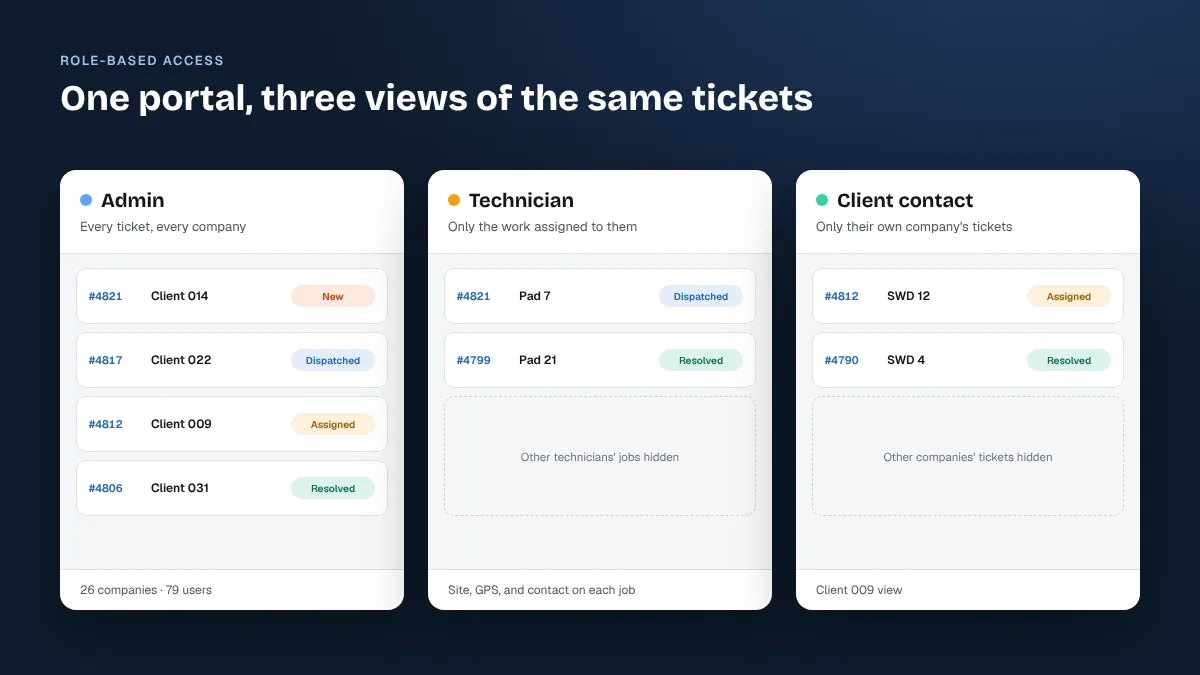
Admins see everything. Technicians see their assigned work. Client contacts see only their company's tickets. Every role gets exactly the right level of access without a complicated permissions setup.
Inside the Support Portal

What the Portal Does
Ticket Review Dashboard
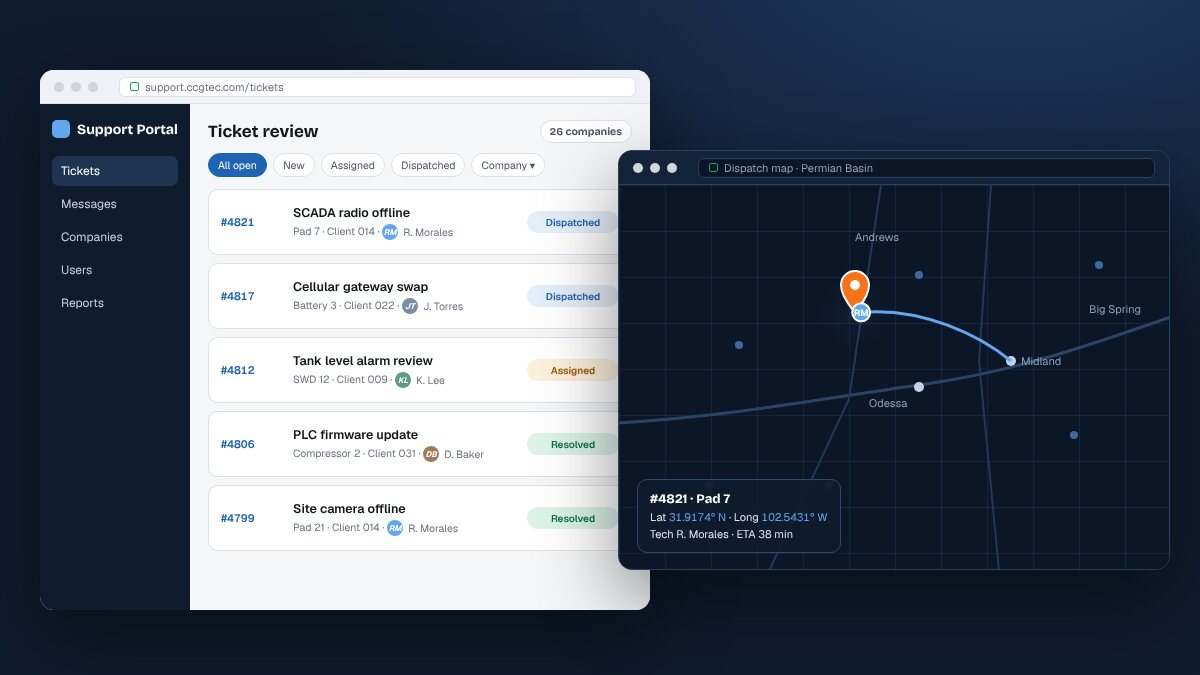
A real-time ticket queue with sidebar navigation, status filters, company filters, and technician assignment. Each ticket shows job number, description, contact, and status at a glance.
Geo-Aware Dispatch
Each ticket captures site name, GPS coordinates (lat/long), and mapping data, so field technicians have exact location info before they leave the office.
In-Ticket Messaging
Structured messaging inside each ticket. Select recipients by name, role, and company, attach files up to 25MB, and send updates without switching to email.
User Management
A full admin panel for managing 79+ users across all client companies. Each user has a defined role and access rights tied to their company.
Company Management
A searchable directory of all 26 client companies, each with a unique customer number. Admins can add, edit, or remove companies as the client roster grows.
Passwordless Auth
Magic link authentication means users sign in from a single email click. No passwords to manage and no locked accounts, just secure access from any device.
Technology